Customizing your Kindle is one of the simplest ways to make reading more comfortable, practical, and enjoyable. A few well-chosen accessories can make your device easier to hold, easier to use in different settings, and better suited to long reading sessions.
You can personalize your Kindle in two ways: by adding physical accessories that improve grip, protection, or convenience, and by adjusting on-device settings that make the reading experience easier on your eyes. The ideas below cover both, so you can build a setup that fits how and where you actually read.
Add a Kindle Cover
A good cover protects your Kindle from scratches, keeps the screen cleaner in a bag, and makes the device easier to carry day to day.
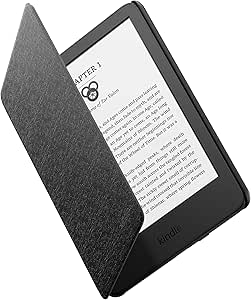
Amazon Kindle Fabric Cover
This official Amazon cover is a thin fabric case with magnetic attachment and automatic sleep/wake support for the 2024 and 2022 Kindle.
Fintie Slimshell Case for Kindle
This slim PU shell case is designed for the 11th generation Kindle and adds lightweight protection with auto sleep/wake functionality.
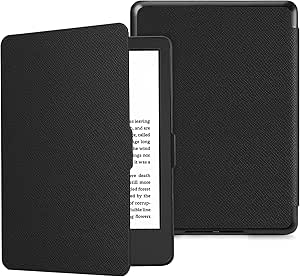
If you carry your Kindle often, a well-fitted cover is usually the first upgrade worth buying.
Use a Stand or Holder
A stand helps when reading at a desk, in bed, on the couch, or in the kitchen, because it keeps the screen at a better angle and frees up your hands.
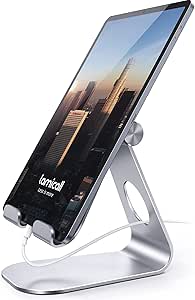
Lamicall Tablet Stand
This adjustable desktop stand supports devices from 4 to 13 inches, including many Kindles and tablets.
AboveTEK Tablet Stand Holder
This aluminum stand uses a long arm, 360-degree rotation, and multi-angle folding to give you more viewing flexibility.
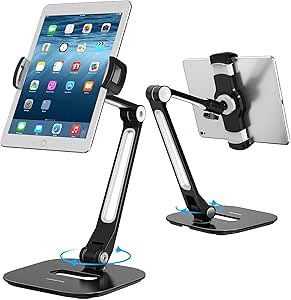
A stand is especially useful if you read for long stretches and want to reduce hand fatigue or awkward posture.
Try a Remote Page Turner
Remote page turners are useful if you read under a blanket, on a treadmill, or in cold weather, because they let you keep reading without touching the screen for every page turn.
SYUKUYU RF Remote Control Page Turner
This clip-on RF page turner works with many capacitive-screen devices and highlights one-handed control, USB charging, and a mute button.
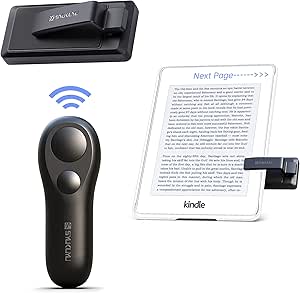
SK SYUKUYU Page Turner Kit
This newer page-turner option is built for Kindle, Kobo, tablets, and phones and pairs with a simple button-hold setup.
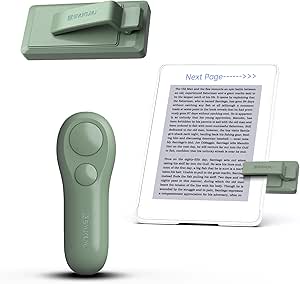
This is one of the most convenience-driven Kindle accessories, and it can materially change how comfortable reading feels in bed or while exercising.
Add a Hand Strap
Hand straps improve grip and make your Kindle feel more secure, especially if you read one-handed or use a larger model like Paperwhite or Scribe.
MoKo Security Hand-Strap
This elastic strap is designed for 6- to 8-inch e-readers and tablets and is meant to make one-handed use more secure.
TFY Elastic Hand Strap
This hand strap uses a double-layer elastic band and coated metal brackets to improve grip without marking device edges.
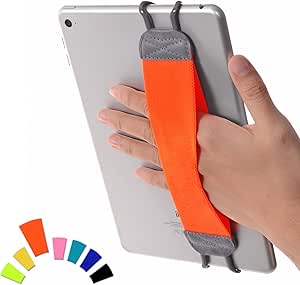
A simple grip accessory can make a bigger difference than people expect, particularly if you tend to read while lying down or commuting.
Add a Reading Light
Most modern Kindles already have a built-in front light, but a separate reading light can still help in shared spaces, odd reading angles, or situations where you want more flexible lighting.
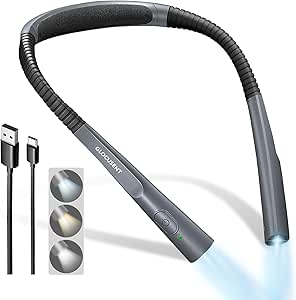
Glocusent LED Neck Reading Light
This rechargeable neck light offers three color temperatures, three brightness levels, and a 30-minute timer in a hands-free design.
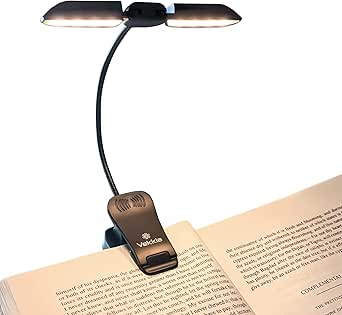
Vekkia Clip-on Book Light
This clip-on light uses 14 LEDs, three color modes, and an extendable lighting head to spread light across the page.
A dedicated light is not essential for every Kindle owner, but it is useful when your reading environment is less controlled.
Customize Your Kindle Reading Experience
Beyond accessories, some of the fastest and most useful Kindle upgrades are already built into the reading settings. Taking a minute to tune these options can make long sessions more comfortable and help the device feel more tailored to you.
- Increase font size for comfort during longer reading sessions.
- Adjust brightness and warmth to reduce eye strain, especially at night.
- Try dark mode on supported devices if you prefer higher contrast in low light.
These small settings changes do not cost anything, but they often make a noticeable difference in comfort and usability.
To keep your collection easy to browse, organize your Kindle Library with Collections and sorting options.
Once your device is set up the way you like, the last step is filling it with books you actually want to read. Browse free Kindle books and try a few different genres to see what feels best on your customized setup.
The best Kindle setup is usually not the most expensive one. It is the one that makes it easier for you to pick up the device and keep reading.